 Listicle
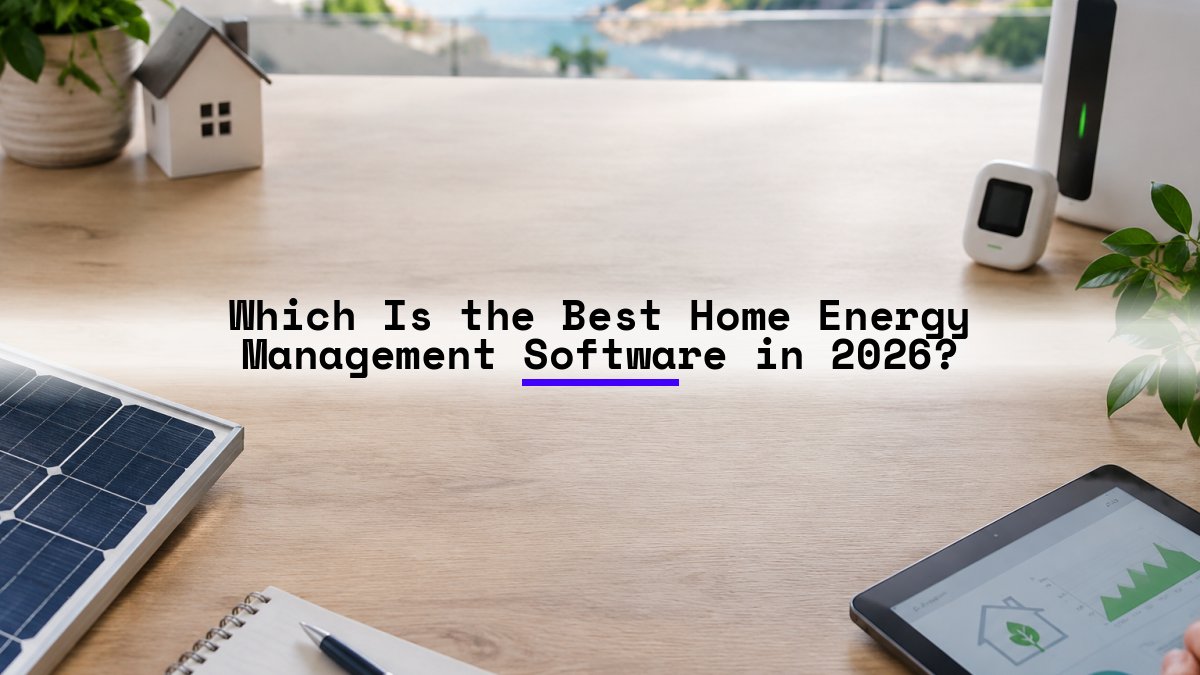
Which Is the Best Home Energy Management Software in 2026?
Last Updated: November 7, 2026
Quick Summary
The best home energy management software in 2026 depends on whether you want a dashboard or lower bills: MiSolar suits homeowners who want design, installation and monitoring from one team, while Siemens Inhab, Sense and Emporia Vue offer monitoring only. Schneider Electric EcoStruxure fits multi-site portfolios.
- A real HEMS measures, integrates, automates and reports; monitoring tools only measure and report.
- MiSolar has completed 300+ installations with a 5.0 rating and quote-based pricing.
- Confirm your platform reads your inverter model directly, since third-party workarounds lose data.
- Spanish time-of-use tariffs reward shifting loads to cheap hours, so demand hourly data mapped to tariff periods.
- Most platforms fail at heat pump integration, delivering charts but no automated scheduling or savings.
Table of Contents
- Quick Comparison: Home Energy Management Software in 2026
- What a Home Energy Management System (HEMS) Actually Does
- 1. MiSolar: Full-Service Monitoring Built Around Your Installation
- 2. Siemens Inhab: Real-Time Consumption Visibility
- 3. Sense: Appliance-Level Insight for Curious Homeowners
- 4. Emporia Vue: Circuit-Level Tracking on a Budget
- 5. Schneider Electric EcoStruxure: When Scale Matters
- Solar Energy Monitoring Software: What to Look For
- Solar Self-Consumption Monitoring and Spanish Tariffs
- Heat Pump Solar Integration: The Piece Most Software Ignores
- Frequently Asked Questions
Quick Comparison: Home Energy Management Software in 2026
The best home energy management software in 2026 depends on one question most buyers never ask: do you want a dashboard, or do you want your bills to actually drop? A monitor shows you numbers. A properly integrated system changes how your solar, battery, heat pump and EV charger work together. This guide compares five options for homes in Jávea, Alicante and across the Costa Blanca North, ranked by what they do for a real household rather than how impressive their enterprise feature list looks.
Home energy management is the practice of tracking, controlling and optimising how electricity is generated, stored and consumed in a building. At its best, it turns passive consumption data into automated decisions that cut waste and cost.
Here is the short version before the detail:
| Software | Type | Best For | Pricing |
|---|---|---|---|
| MiSolar | Full-service installation + monitoring | Homeowners who want the system designed, installed and monitored by one team | Quote-based |
| Siemens Inhab | Real-time consumption monitor | Visibility into whole-home electricity use | Not published |
| Sense | Appliance-level insight | Curious owners who want to identify device-level consumption | Not published |
| Emporia Vue | Circuit-level tracking | Budget-conscious DIY monitoring | Not published |
| Schneider Electric EcoStruxure | Enterprise-grade platform | Multi-site and commercial portfolios | Not published |
What most comparison articles get wrong is treating a €40 plug-in monitor and a fully commissioned solar-plus-battery system as the same category. They are not. Below, we break down what each option genuinely delivers, where Spanish tariffs change the maths, and which gaps in the market nobody warns you about.
What a Home Energy Management System (HEMS) Actually Does
A home energy management system (HEMS) is a combination of hardware and software that measures energy production and consumption, then either reports it or acts on it automatically. The distinction matters: reporting tools tell you what happened yesterday, while control systems decide what happens next.
Four functions separate a real HEMS from a smart meter app:
- Measurement. Whole-home, circuit-level or appliance-level data, pulled from a smart meter, CT clamps or inverter telemetry.
- Integration. Connections to solar inverters, battery storage, heat pumps and EV chargers, so one dashboard sees the whole picture.
- Automation. Rules and schedules that shift loads to cheap or self-generated hours without you lifting a finger.
- Reporting. Performance history you can actually use to spot waste and verify savings.
If a platform ticks only the first and last boxes, it is a monitoring tool. Useful, but not management. For readers who want to go further on the consumption side, our guide on how to optimize solar energy consumption at home covers the practical habits that make any dashboard more effective.
1. MiSolar: Full-Service Monitoring Built Around Your Installation
A monitoring platform is only as good as the system feeding it data, and a mismatched inverter, battery or heat pump will produce numbers no app can fix.
Some installers handle engineering, permitting, procurement and on-site works in-house and set up monitoring after commissioning. That matters in this region: roof types, municipal requirements and optimal panel orientation vary from town to town, and a generic software package cannot account for a shaded afternoon roof or a holiday home that sits empty for months.

What you get in practice:
- One point of accountability. The team that designed the system also monitors it, so a fault is not bounced between installer and software vendor.
- Consumption-matched design. Systems are sized to your lifestyle and consumption pattern, not a generic average.
- Financing options and post-commissioning support, including monitoring setup and performance checks.
- A track record of 300+ installations and a 5.0 rating, with customers noting prompt response and clean worksites.
Best for: homeowners who want a single team responsible for design, installation and ongoing monitoring. Skip if: you already have a working system and only want a standalone dashboard.
Pricing is quote-based and depends on system size and specification. Request a quote to see what fits your property.
2. Siemens Inhab: Real-Time Consumption Visibility
Home energy monitors of this type give homeowners a real-time view of household electricity use, which can help when trying to understand what drives a seasonal bill spike.
Where it falls short is action. Visibility alone does not shift a load to your solar generation window or stop a battery discharging at the wrong time. Monitors of this type are generally designed to read whole-home consumption and stream it to an app; whether a given device also controls an inverter, battery or heat pump depends on the product. That distinction is the difference between a dashboard and a management system, and it is the single most common source of buyer disappointment in this category.
For a Spanish household, the practical test is whether the platform can map consumption against your time-of-use periods. Spanish residential tariffs commonly split the day into peak, flat and off-peak windows, and the value of any monitor depends on whether it shows you, hour by hour, whether you are importing during the expensive window while your own solar is curtailed. A real-time whole-home figure is a starting point; hourly history aligned to your distributor's published periods is what lets you act.
Pricing and integration details are not published in the sources we reviewed, so treat this as a visibility tool first and confirm compatibility with your inverter before buying. Ask three questions before you commit: does it read your inverter model directly, does it store at least a year of hourly data, and where is that data held? If remote oversight matters to you, our article on how to manage solar energy remotely from anywhere explains what to look for in a platform that supports it.
Best for: homeowners who want a clear, real-time picture of whole-home consumption and are prepared to act on it manually. Skip if: you want the system to schedule loads, batteries or heat pumps without intervention.
Watch out: a monitor that reports only whole-home import will make a well-performing solar system look mediocre, because self-consumed generation never appears as a separate line. Confirm the self-consumption split is reported before you buy.
3. Sense: Appliance-Level Insight for Curious Homeowners
Sense appears in home-focused comparisons of energy tracking apps and devices, and its appeal is appliance-level insight: identifying which devices are drawing power rather than just how much the whole house uses. That appliance-level view can also clarify how smart home devices for families fit into a broader effort to make everyday energy use more visible and manageable.
That level of detail suits owners who enjoy investigating. It is less suited to anyone who wants the system to make decisions for them. Check current specifications directly before committing.
Best for: detail-oriented owners who want to identify device-level consumption. Skip if: you want automated control rather than a research project.
4. Emporia Vue: Circuit-Level Tracking on a Budget
Circuit-level tracking splits consumption across circuits rather than giving one whole-home figure. Its scope is the trade-off: it tells you where energy goes, but does not by itself coordinate solar generation, battery discharge or heat pump scheduling.
Detailed capabilities and pricing are not verified in the sources we reviewed.
5. Schneider Electric EcoStruxure: When Scale Matters
Platforms in the enterprise class, such as those for building management and multi-site oversight, are designed for portfolio-level reporting that commercial operators expect. That framing is accurate, but it hides the question a Costa Blanca owner actually asks: at what point does a household or a small rental portfolio need this class of platform rather than a single-villa dashboard?
The answer is usually scale, not sophistication. A single villa with one inverter, one battery and an EV charger is well served by a residential HEMS. The calculus changes when you own several properties and want one view across them: a rental apartment in Alicante, a holiday home in Jávea, and perhaps a small commercial unit. At that point the value is not more charts; it is consolidated reporting, role-based access for a property manager, and the ability to compare consumption and generation across sites on the same basis.
That is the gap most residential comparison articles miss. They either ignore portfolio platforms entirely or present them as overkill, without explaining the threshold at which multi-site oversight pays for itself. A common pattern among owners of three or more properties is that the administrative saving, not the energy saving, justifies the platform: one login, one reporting cycle, one set of alerts across every meter.
For Spanish owners, two practical checks decide whether a portfolio platform is worth the onboarding effort. First, data access: confirm the platform can ingest data from your distributor's smart meter and from each site's inverter, because a portfolio view is only as good as the feeds behind it. Second, data residency and consent: household consumption data is personal data under Spanish and EU data-protection rules, so ask where it is stored, who can access it, and how consent is managed for tenants. The Spanish data protection authority publishes guidance on consent and data minimisation that applies to any platform holding tenant usage data.
Verify residential fit directly before choosing it. For a single villa it may be more platform than an owner needs; for a mixed portfolio, a consolidated view can be the deciding factor.
Best for: owners of multiple properties or mixed portfolios who need one view across sites and role-based access for managers. Skip if: you want a simple household dashboard for a single home.
Watch out: a portfolio platform is only as useful as its weakest data feed. If one site's inverter is not integrated, the consolidated report silently understates that property's generation and skews every comparison you make.
Solar Energy Monitoring Software: What to Look For
Solar energy monitoring software is the layer that tracks generation, self-consumption and export separately, so you can see how much of your solar output you actually used. Without that split, a dashboard cannot tell you whether your system is performing or whether you are giving energy away.
Check these five points before you choose:
- Inverter compatibility. Confirm the platform reads your inverter model directly. Third-party workarounds lose data.
- Self-consumption split. Generation, consumption, export and import must be reported separately.
- Battery and EV readiness. If storage or an EV charger is planned, the platform must support them now, not "soon".
- Data ownership and privacy. Know where your consumption data is stored and who can access it.
- Reporting you will actually read. Daily and monthly performance summaries beat raw real-time feeds for spotting problems.
Watch out: a monitor that reports generation but not self-consumption will make a well-performing system look mediocre, and you may chase a fault that does not exist.
Solar Self-Consumption Monitoring and Spanish Tariffs
Self-consumption monitoring matters more in Spain than in many markets because the tariff structure rewards timing. Spanish households commonly sit on time-of-use pricing, where the cost per kWh varies by hour, and self-consumption rules govern how surplus generation is valued.
The practical implication: a platform that shows you generation but not when you used it cannot tell you whether shifting the washing machine to midday would pay. You need hourly data mapped against your tariff periods.
Storing surplus rather than exporting it is one way to capture more value. Our solar battery storage and backup power page explains how storage changes the economics, and a virtual battery offers an alternative for households that want to bank surplus without a physical unit on the wall. For the regulatory detail, check the Spanish self-consumption regulations and your distributor's published tariff periods, since rates and access rules change.
Heat Pump Solar Integration: The Piece Most Software Ignores
Heat pump solar integration is where most platforms quietly fail. A heat pump is the largest flexible load in a modern home, and running it from solar generation rather than the grid is one of the biggest savings available. Yet many monitoring tools treat it as just another circuit.
The problem is timing. A heat pump heats water and rooms slowly, so it needs to run when solar is producing, not when you notice the house is cold. That requires a platform that can read generation forecasts and schedule the heat pump accordingly, or an installer who configures it properly at commissioning.
This is the gap we see most often. A homeowner buys a capable monitor, connects it to a heat pump, and gets a chart. No automation, no scheduling, no savings beyond what the solar already delivered. If you are adding a heat pump, look at air source heat pump installation alongside your monitoring choice so the two are designed together rather than bolted on afterwards. The same logic applies to other large loads: if an EV is part of the plan, pairing your monitoring setup with professional EV charger installation means the charging schedule is built around your solar production from day one, rather than retrofitted later.
The real test of home energy management software is not how many charts it draws. It is whether your system was designed around your consumption, installed correctly, and monitored by someone who will act when the numbers drift. For a solar installation in Jávea, Alicante and the Costa Blanca North, MiSolar offers in-house engineering, permitting and installation, tailored system design, financing plans, and post-commissioning monitoring and performance checks. Contact MiSolar through its website for a quote.
Frequently Asked Questions
What is home energy management software and do I need it?
Home energy management software connects to your smart meter, solar inverter and major appliances to show where electricity goes in real time. It helps you shift heavy loads like washing machines or pool pumps to the hours when your panels are producing. If you have solar, a battery or an EV charger, the software is what turns those assets into actual savings rather than guesswork. Without it, you are reading a monthly bill and guessing.
Can home energy management software monitor solar panels and battery storage?
Most platforms can, but only if they support your inverter brand. Solar energy monitoring software typically pulls data from the inverter over Wi-Fi or a local API, then adds battery state of charge and grid import/export figures. Before buying, check the compatibility list for your inverter and battery model. Some tools only read consumption at the meter and cannot see what your panels generate separately, which limits how useful the data is.
Does home energy management software work with different inverter and battery brands?
It depends on the platform. Open systems support dozens of inverter brands through APIs and Modbus, while closed systems only work with their own hardware. If you already have panels installed, ask the software provider to confirm your exact inverter model before you commit. A home energy management system that cannot read your inverter is just a fancy electricity meter, and you will not get the solar self-consumption monitoring you paid for.
Can energy management software help reduce electricity bills in Spain?
Yes, mainly by shifting consumption into your own solar production and away from expensive grid hours. Spanish households on a time-of-use tariff pay more during evening peak periods, so software that schedules the pool pump, hot water or EV charging for midday makes a measurable difference. Pairing this with heat pump solar integration lets you heat water when panels are producing instead of drawing from the grid at night.
Is home energy management software free?
Some tools are free, including open-source options and basic apps bundled with an inverter, but they usually lack automation or multi-device control. Paid platforms typically charge a one-off hardware cost plus an optional subscription. For a typical villa with solar, a battery and an EV charger, the subscription is usually the smallest line in the budget. Ask for a full breakdown in euros before signing, including any hardware needed to read your meter.